
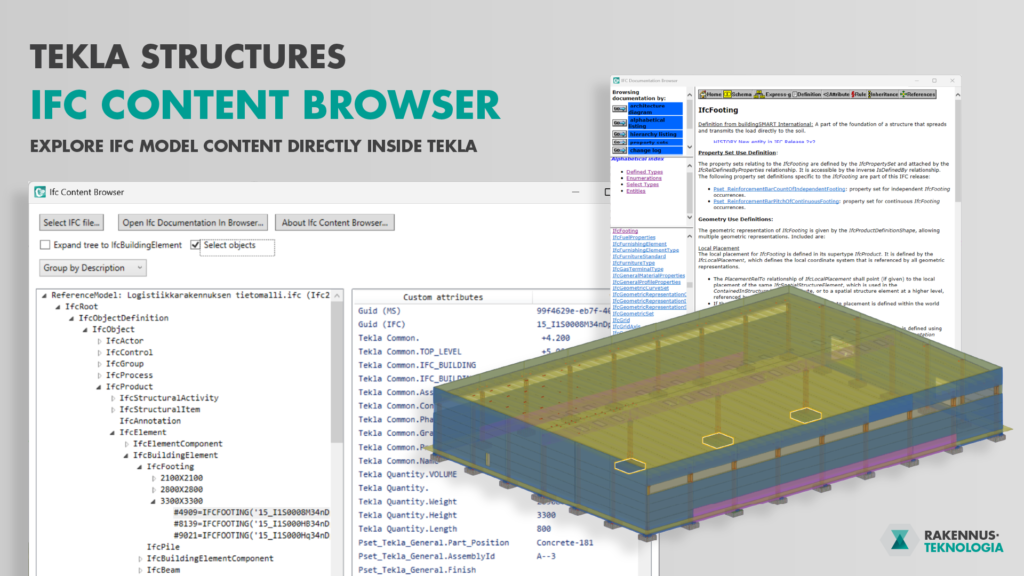
The use of building information models (BIM) in construction projects is expanding rapidly.
Models are no longer used only for design but also in building permit processes, quantity take-off, production management, and site planning.
This requires that the information within models is structurally consistent and accessible also in software applications that do not directly modify the model.
IFC (Industry Foundation Classes) is an open data exchange standard that enables the management of information flows between different software platforms.
In addition to geometric representation, IFC models contain structured and semantic data about building elements, materials, and properties.
In Tekla Structures, IFC models from other design disciplines have traditionally been used mainly as reference models, but inspecting their internal data structure has so far been limited.
IFC Content Browser for Tekla Structures
IFC Content Browser is a Tekla Structures extension that allows users to inspect the structure and contents of an IFC file directly within the model view.
The extension parses the IFC file according to the official IFC schema and presents it as a hierarchical tree, grouping entities based on their classifications.
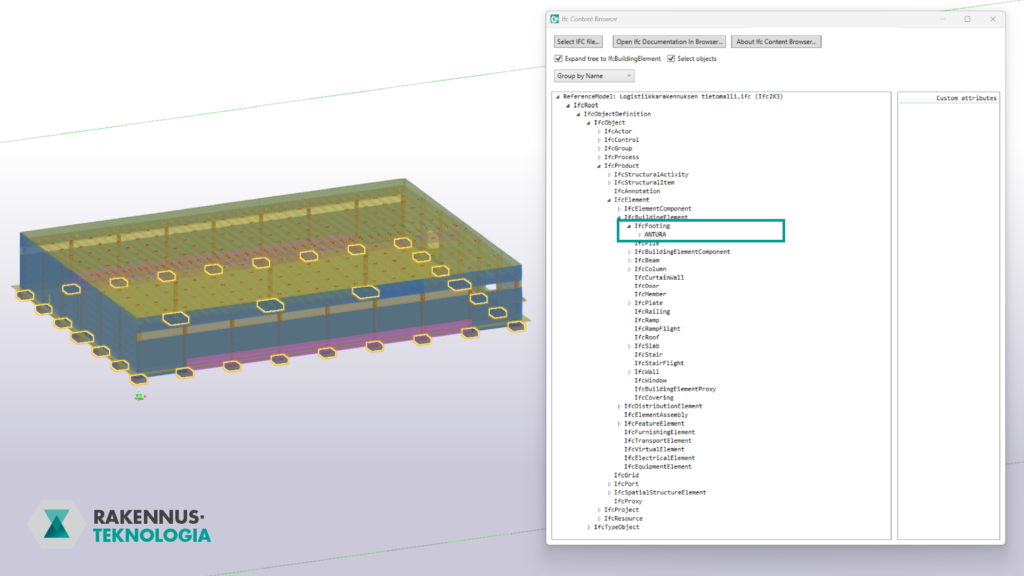
Users can expand different schema levels, explore relationships between entities, and select specific classes or individual entities.
When a class is selected, all IFC objects belonging to that class are highlighted in Tekla’s 3D view, making it easy to see how the model has been classified according to the IFC schema.
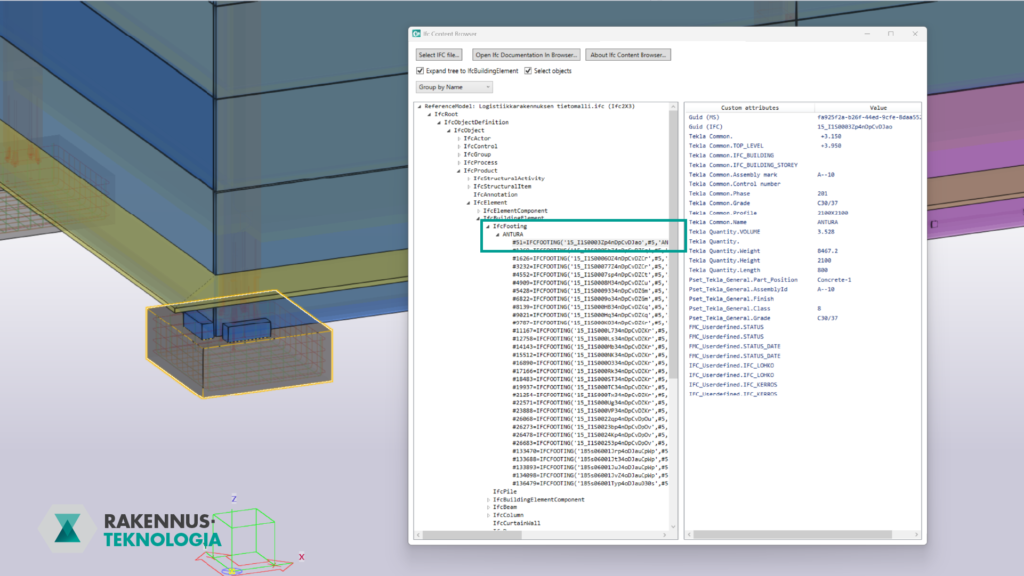
The extension also allows users to examine the detailed property data of each IFC object.
Linked Access to IFC Documentation
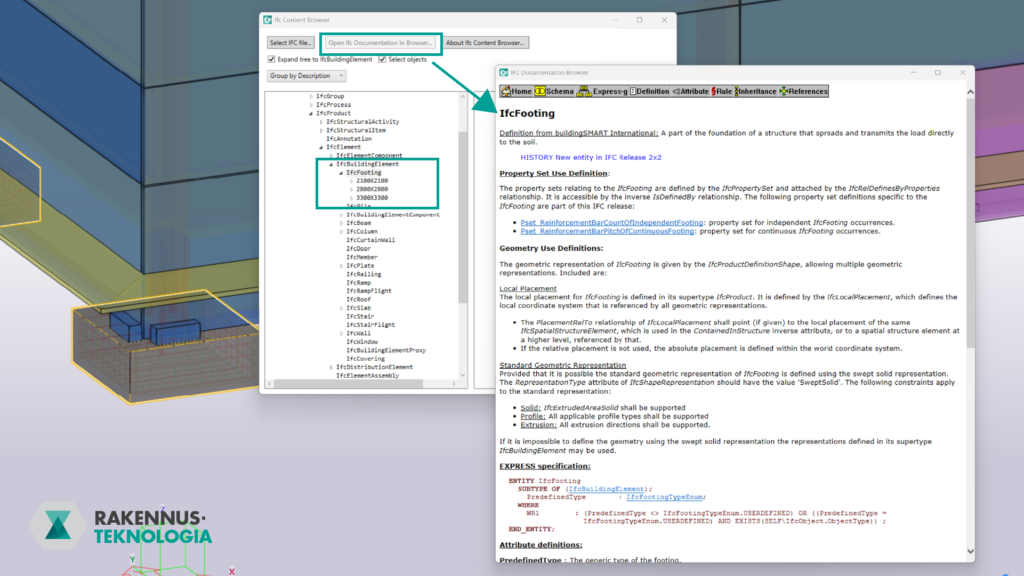
IFC Content Browser includes a feature that provides direct access to the official buildingSMART International IFC documentation from within Tekla.
Users can open the definition, property sets, and geometry rules of any selected entity without leaving the application.
This supports understanding of the IFC schema and helps users interpret the model’s data structure correctly.
Key Features
- Intuitive tree-based navigation according to the IFC schema
- Selection of IFC objects by entity class directly in Tekla’s 3D view
- Inspection of detailed properties for individual IFC objects
- Direct links to official IFC documentation
Download from Tekla Warehouse
Enhance Your Tekla Modeling Workflows
IFC Content Browser is just one example of the plugins and tools we develop for Tekla Structures. We create custom Tekla extensions that automate modeling tasks, integrate manufacturer-specific product data directly into models, improve data quality and exchange, and strengthen BIM collaboration between project stakeholders. If your organization has an idea for a custom Tekla tool or an extension that could simplify modeling or data management, we’d be happy to help design it together.