
We developed two custom Tekla Structures plugins for Omexom. The plugins help their team model diagonal joints in power line towers faster and more consistently.
Omexom uses the tools internally in Tekla Structures. The main goal was clear: reduce repetitive modelling work and make recurring steel connection details easier to create.
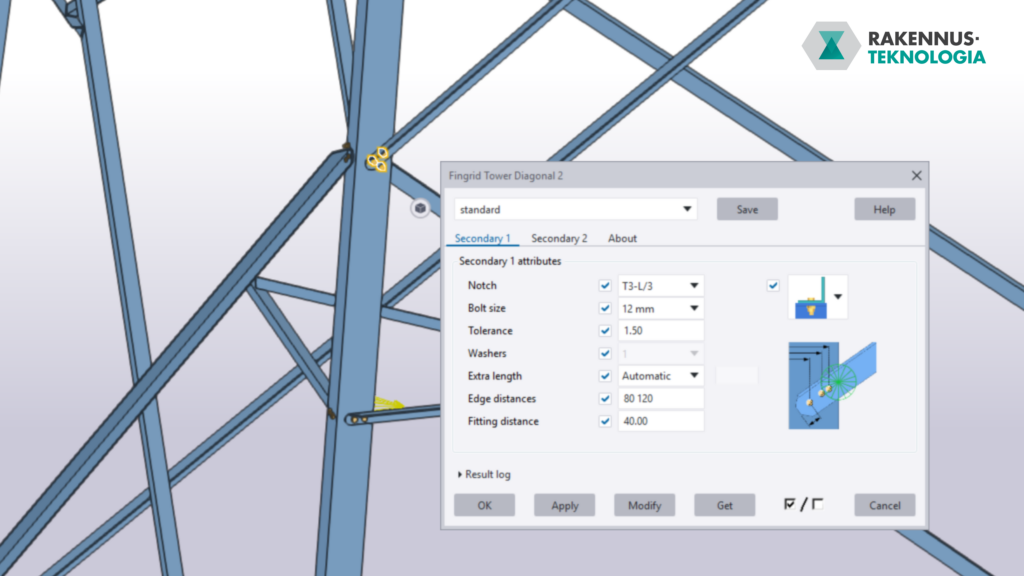
The solution includes two separate Tekla plugin tools. The first tool models a joint with one secondary member. The second tool handles a joint where two secondary members connect to the same location.
As a result, designers can create these recurring connections with fewer manual steps.
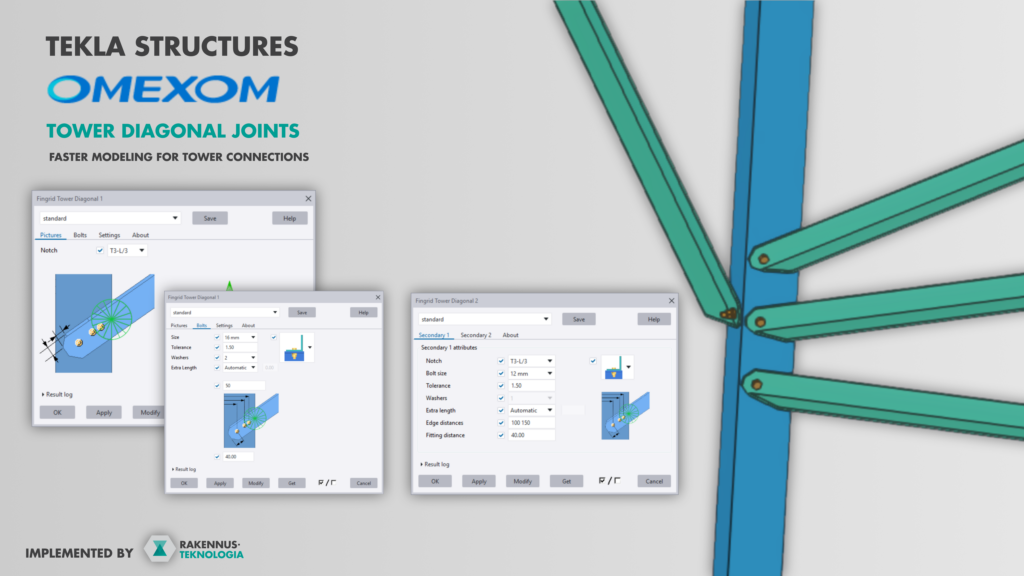
Diagonal joints directly in the Tekla model
Power line towers include many diagonal steel members. These members often create similar connection details across the model. However, the geometry can change from one location to another.
With these plugins, the designer selects the parts and defines the required settings. After that, the plugin creates the joint directly in the Tekla model.
The tool can generate details such as part fittings, notches and bolting. Therefore, the designer does not need to build each joint manually from scratch.
This makes the modelling process faster. It also helps keep the connection details consistent throughout the model.
One or two secondary members
The first plugin supports joints with one secondary steel member. This covers connection situations where a single diagonal member connects to the primary structure.
The second plugin supports joints with two secondary members. These cases often require more coordination, because the member positions, notches and bolting must work together as one detail.
Both tools follow the same workflow. First, the designer selects the parts. Then, the designer defines the needed values. Finally, the plugin creates the connection in the Tekla model.
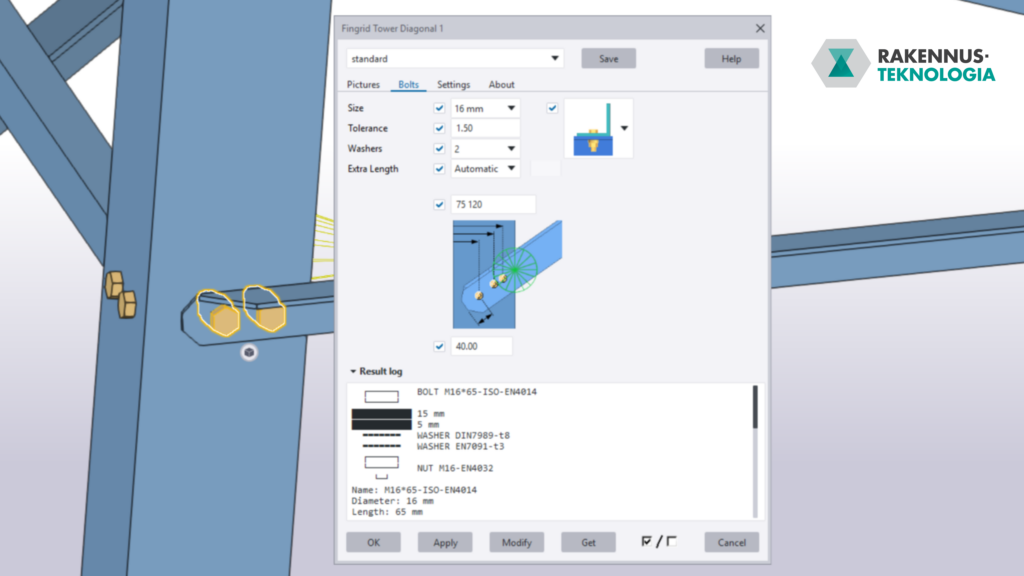
Bolt lengths based on Omexom’s tables
The plugins also automate bolt length selection. The selection follows Omexom’s own standardized reference tables.
This removes the need for repeated manual checks. In addition, it helps designers apply the same bolt length logic across the model.
For example, the plugin can select the correct bolt length based on the defined connection details. The designer does not need to check the same table manually for every similar joint.
As a result, the model stays more consistent and the modelling work becomes smoother.
Customer-specific Tekla plugins as part of the design workflow
This project shows how Tekla Structures can be extended with customer-specific tools. A custom Tekla plugin can include a company’s own design rules, standard details and modelling practices.
These tools are especially useful when the same task repeats often. In many cases, a small and focused automation can save a lot of time.
For design teams, this means less manual modelling and fewer repetitive checks. More importantly, it allows designers to focus on engineering work instead of routine modelling steps.
Interested in improving your Tekla modelling workflow?
We develop custom Trimble Tekla tools and Tekla Structures plugins for engineering offices and industrial companies. These tools can speed up BIM modelling, reduce manual work and standardize recurring modelling tasks. A well-defined tool can often pay back its development cost quickly through saved modelling time. This is especially true when the same task repeats from project to project.